
Configure a USART with the Devicetree Manager
This tutorial sets up a USART on an STM32 board with the Devicetree Manager for Zephyr. The example uses usart2 on a Nucleo H563ZI; the flow is the same on any STM32 board.
Before you start
Install and open the Devicetree Manager as shown in Installing the Devicetree Manager for Zephyr. If you are new to Zephyr on STM32, start with Getting started with Workbench for Zephyr.
1. Pick the USART and enable it
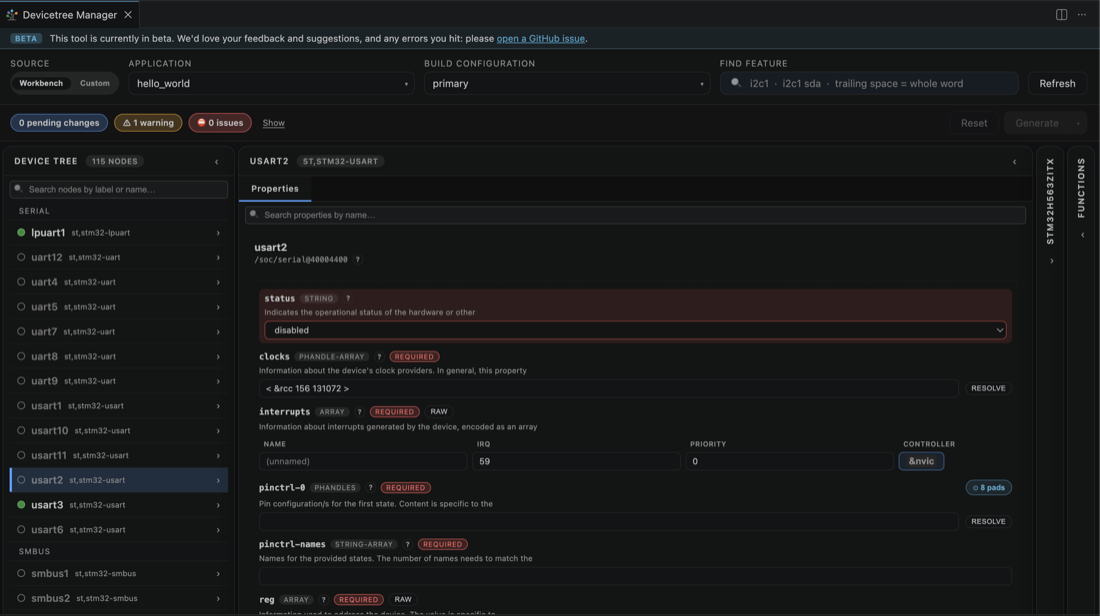
Build your application once, open the Devicetree Manager, and select the USART in the device tree, here usart2. It starts disabled.
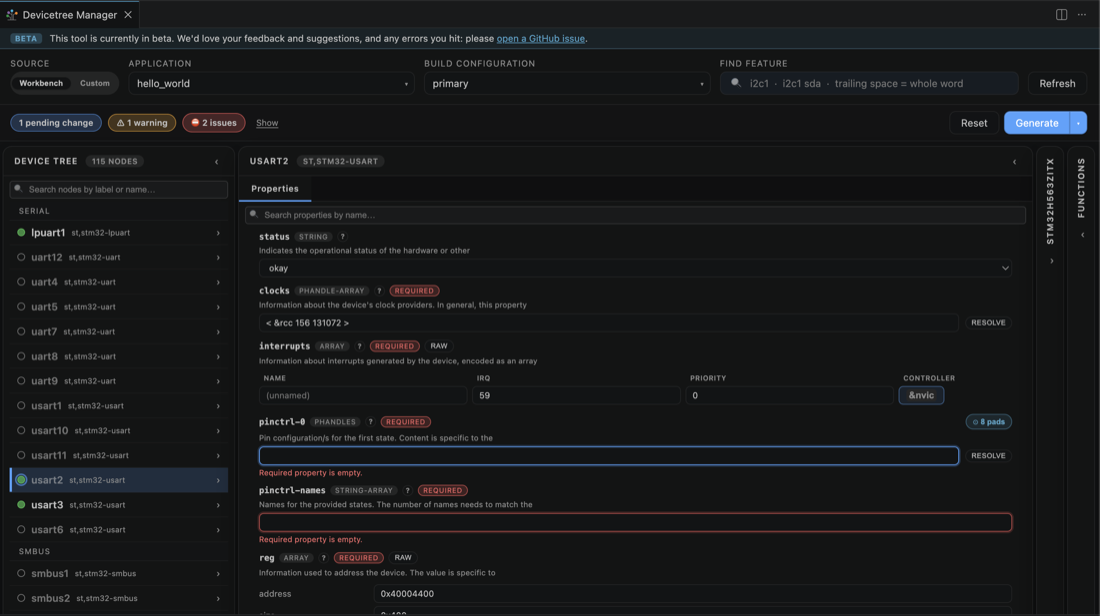
Set status to okay. The header now reports two issues: pinctrl-0 and pinctrl-names are empty.
2. Assign the transmit pin (TX)
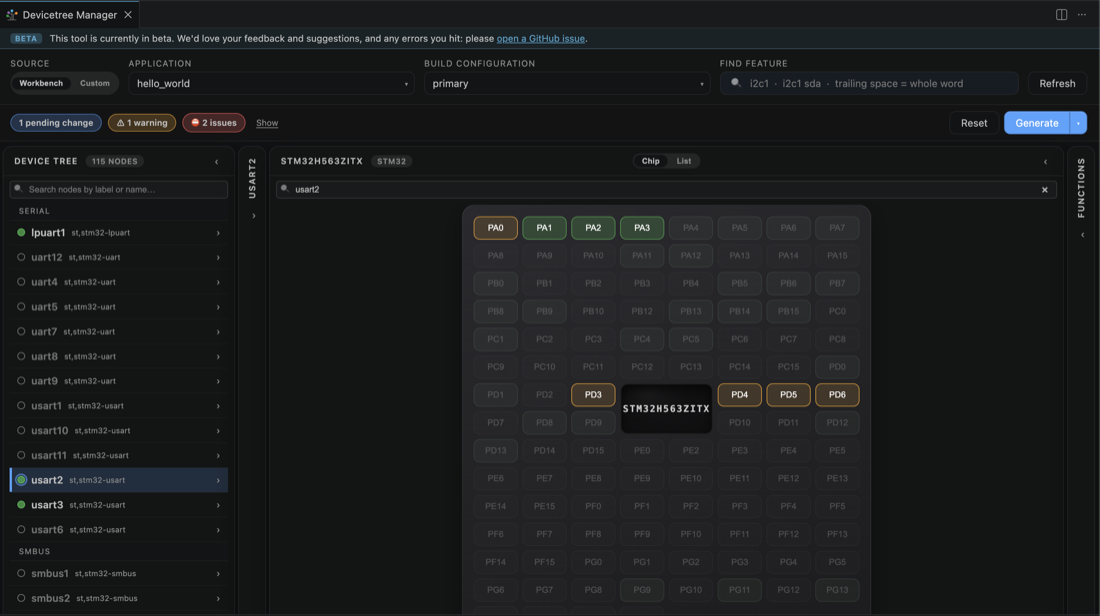
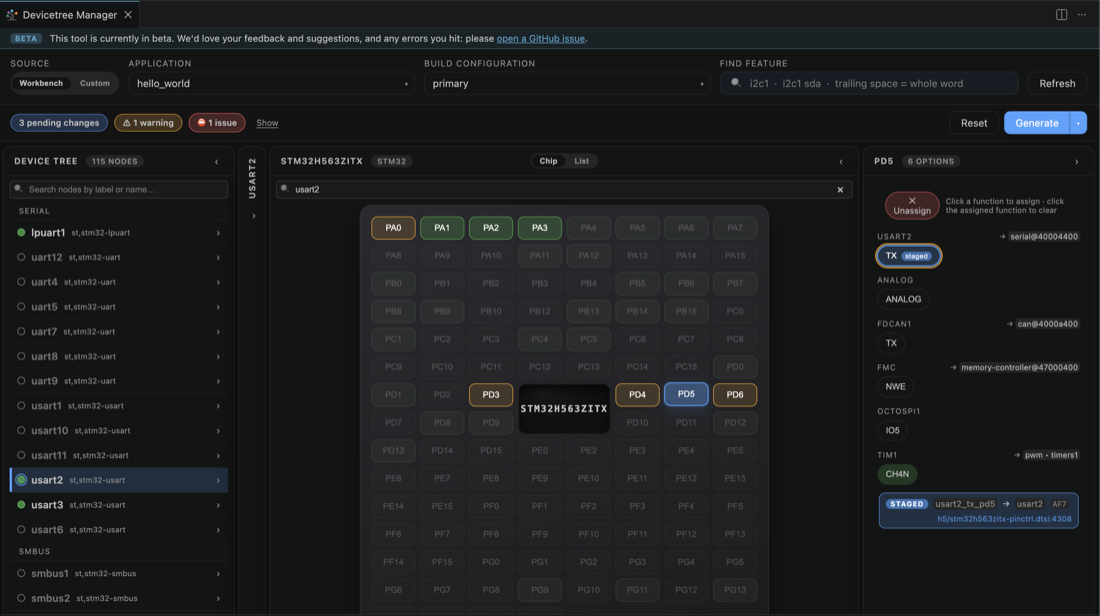
Switch to the Chip view; the pads that can carry the usart2 signals light up. Click one, here PD5, and pick the USART2 TX function.
3. Assign the receive pin (RX)
Click another highlighted pad, here PD6, and pick USART2 RX. With both signals set the header reads 0 issues.
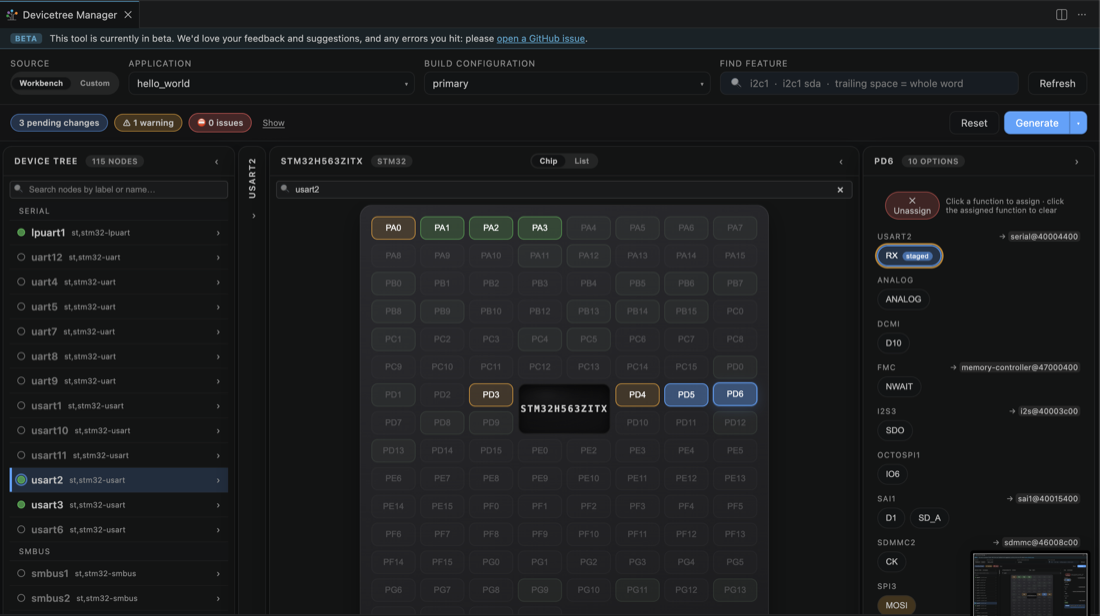
The Properties pane now shows the staged pinctrl-0 with both pins.
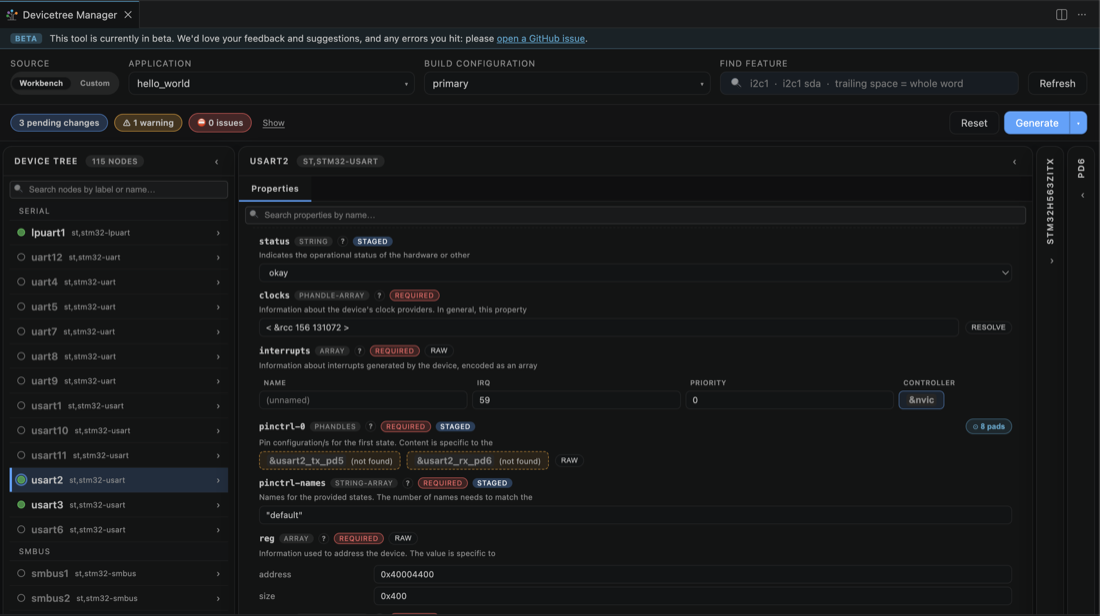
4. Optional: set the baud rate
For a non default baud rate, set current-speed in the Properties pane. It defaults to 115200.

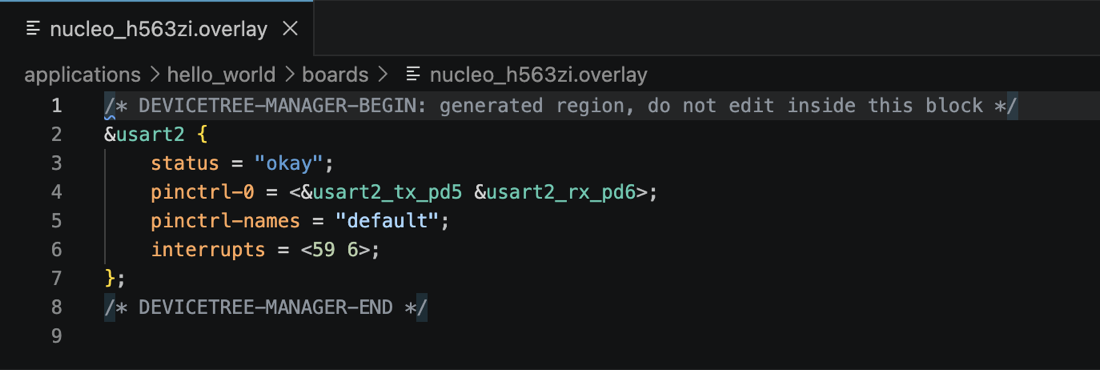
5. Generate the overlay
Click Generate to write boards/<board>.overlay, then rebuild.
-
See also: Devicetree Manager for Zephyr, Configure an I2C peripheral with the Devicetree Manager, Configure a SPI peripheral with the Devicetree Manager, Configure an ADC channel with the Devicetree Manager.