Workbench for Zephyr
Workbench for Zephyr is Ac6's free and open source Visual Studio Code extension for developing Zephyr RTOS applications, with STM32 as its first class target. It adds full Zephyr development support to VS Code: host tools and toolchain installation, West workspace management, an application wizard, build, flash and debug, plus configuration and analysis tools. Where System Workbench for STM32 gave the community a single Eclipse environment for bare metal STM32 development, Workbench for Zephyr does the same job for Zephyr, inside the editor most embedded teams already use.
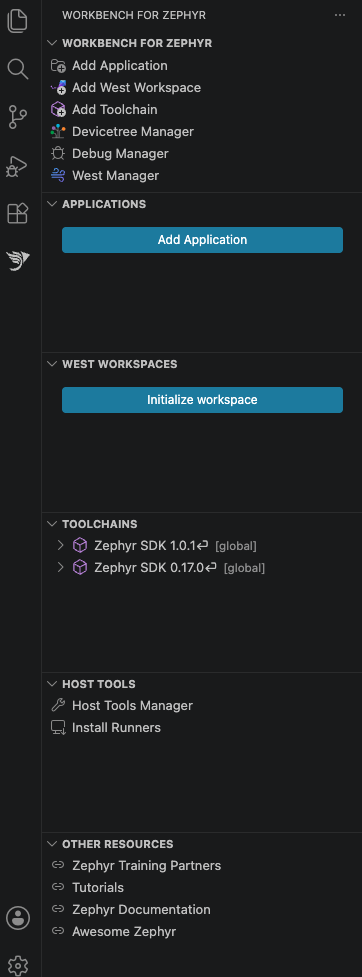
Features
- Install the native host tools (Python, CMake, Ninja and the rest) required to build Zephyr
- Install and manage toolchains: Zephyr SDK (local or global), ARM GNU, IAR ARM and Rust
- Create or import West workspaces and maintain them with the West Manager
- Create or import applications and manage multiple build configurations per application
- Configure your application with the Kconfig Manager, Menuconfig or the GUI config
- Edit the devicetree visually with the Devicetree Manager, a CubeMX style view of pins and peripherals
- Build, flash and debug, with one click runner installation and several debug backends
- Inspect build results in the Workbench Dashboard and run memory analysis reports and plots
- Generate and verify SPDX software bills of materials, and run static analysis with ECLAIR
For STM32 developers
The default West template targets STM32 and the getting started flow builds its first project on an STM32 board such as the STM32F4 Discovery. Flashing and debugging use the ST-LINK GDB Server and OpenOCD from STM32CubeCLT, which the extension installs for you, with J-Link and pyOCD also supported.
Get it and learn more
Install Workbench for Zephyr from the Visual Studio Marketplace, or from Open VSX so it also works in VSCodium and other editors built on VS Code. Full documentation, including installation, getting started and STM32 board tutorials, is at z-workbench.com.
- What it does on STM32, in detail: Developing STM32 applications with Zephyr
- Getting started, with a short video: Getting started with Workbench for Zephyr
- Tutorial, Rust on STM32: Getting started with Rust on Zephyr on STM32