Developing STM32 applications with Zephyr
This page describes what Workbench for Zephyr gives you when you target STM32. For the step by step guides, see z-workbench.com.
One click setup
The extension installs the native host tools a Zephyr build needs (Python, CMake, Ninja, Git and the rest) and manages your toolchains for you. You can install and register a Zephyr SDK, the ARM GNU toolchain, the IAR ARM toolchain or a Rust toolchain, and share them across all your workspaces. For a plain C project on STM32 you only need the ARM part of the Zephyr SDK, so the download stays small. There is nothing to add to your PATH by hand.
West workspaces and STM32 projects
Zephyr organises its code in a West workspace. Workbench for Zephyr creates or imports a workspace, with STM32 as the default template, and the West Manager lets you set the Zephyr version and enable optional modules. You then generate an application for a specific STM32 board from the Zephyr sample set, for example the STM32F4 Discovery, and manage several build configurations per application.
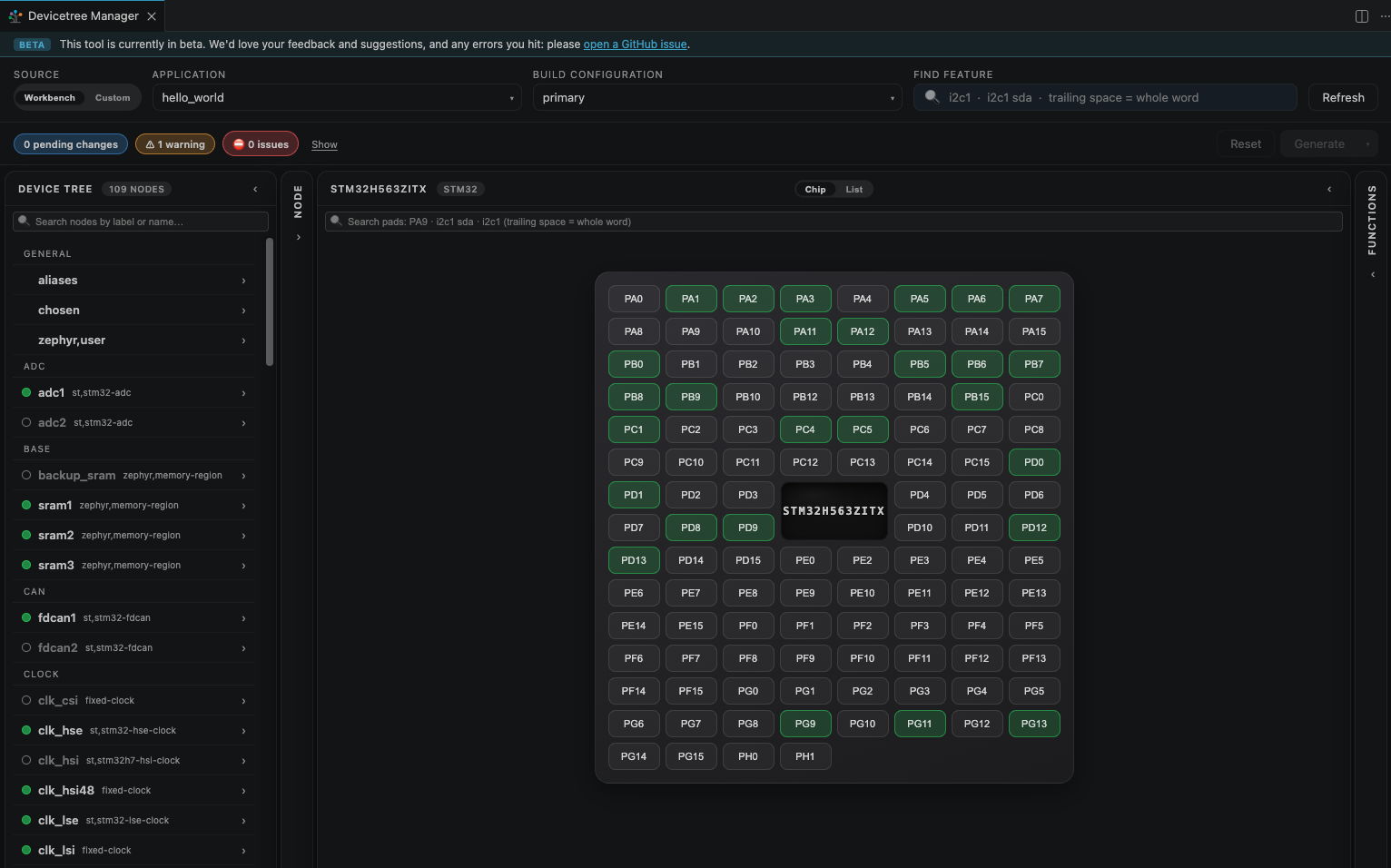
Configure with a CubeMX style view
The bundled Devicetree Manager gives you a graphical view of pins and peripherals, similar in spirit to STM32CubeMX but driven by the Zephyr devicetree, so the project stays standard and portable. Kconfig options are edited through the Kconfig Manager, Menuconfig or a GUI config.
Build, flash and debug on STM32
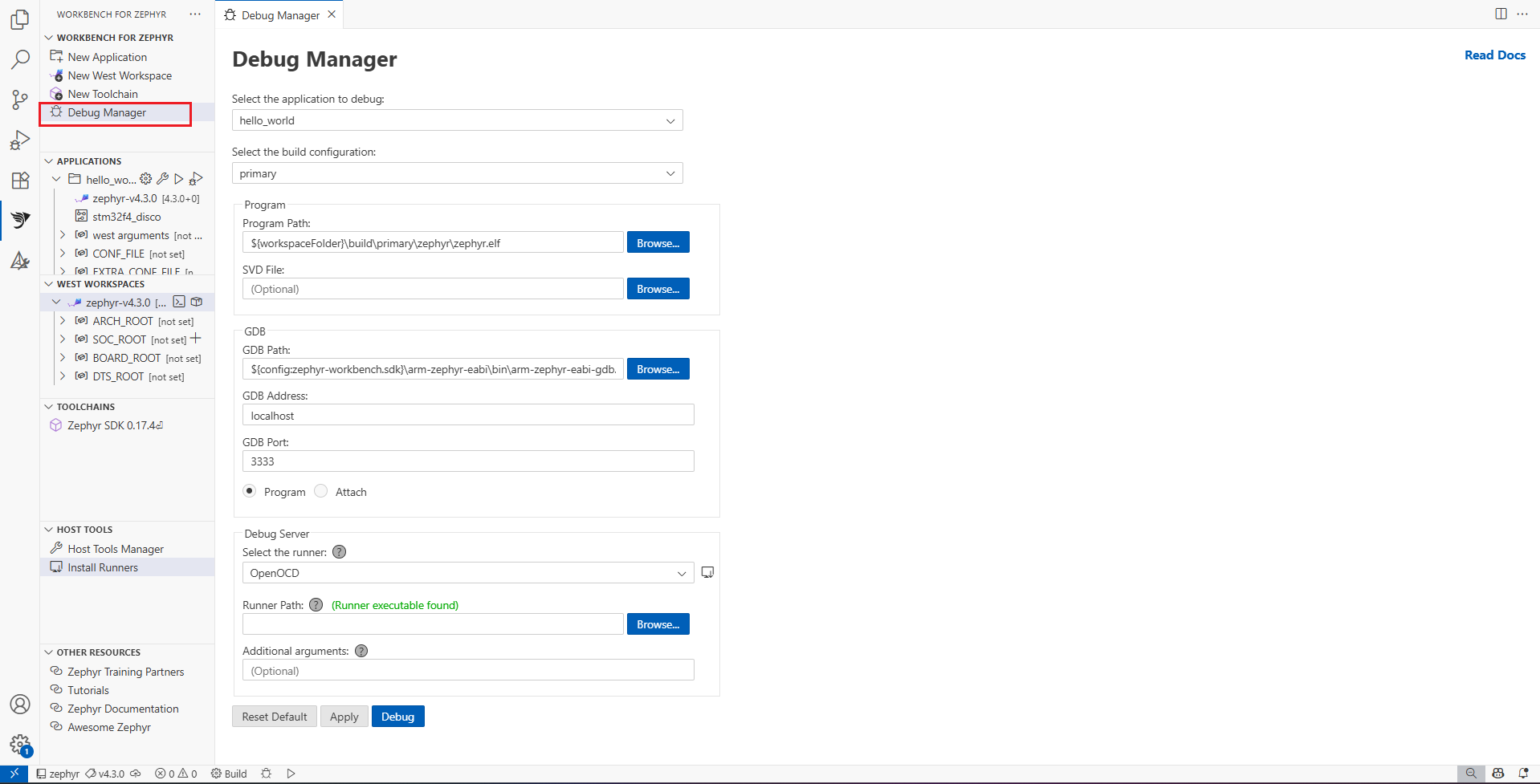
You build from the editor and flash to the board in a single action. Debugging uses the probes STM32 developers already have: the on board ST-LINK through the ST-LINK GDB Server and OpenOCD from STM32CubeCLT, which the extension can install for you, as well as J-Link and pyOCD. When STM32CubeCLT is present, the peripheral register (SVD) view is detected automatically, so you can inspect STM32 registers as you step.
Analysis
Beyond building and debugging, the Workbench Dashboard collects your build results, and you can run RAM and ROM memory analysis reports and plots, generate and verify an SPDX software bill of materials (SBOM), and run static analysis with the ECLAIR Manager.
Good to know
Projects you create stay standard Zephyr, so there is no lock in and you can keep using West on the command line whenever you prefer.
-
See also: Workbench for Zephyr, Getting started with Workbench for Zephyr, Getting started with Rust on Zephyr on STM32.